Ontology Cleanup
Standard Operating Procedure · Version 1.0 · Last Updated: May 22, 2026
Scope: All Object Types built in Palantir Foundry
Executive Summary
The following information will cover how to delete items in the ontology ranging from Functions to Object Types
It should be noted that if you are unsure about anything related to how any Functions/Actions/Object Types/Workshops are being used, please send a message in #breaking-changes in Slack for further clarification before taking any action.
1. Deleting Functions
The process that has been used to determine what can and cannot be deleted is as follows:
- Open the function in Workflow Lineage (click cmd + i in any Function, Object Type, Action, Workshop, etc).
- Check if the Function is being used by any Workshops, Actions, or Automations.
- If it is used in any of those, investigate the usage and determine if it is actually being used/can be executed or if it is a fragment left over from previous development.
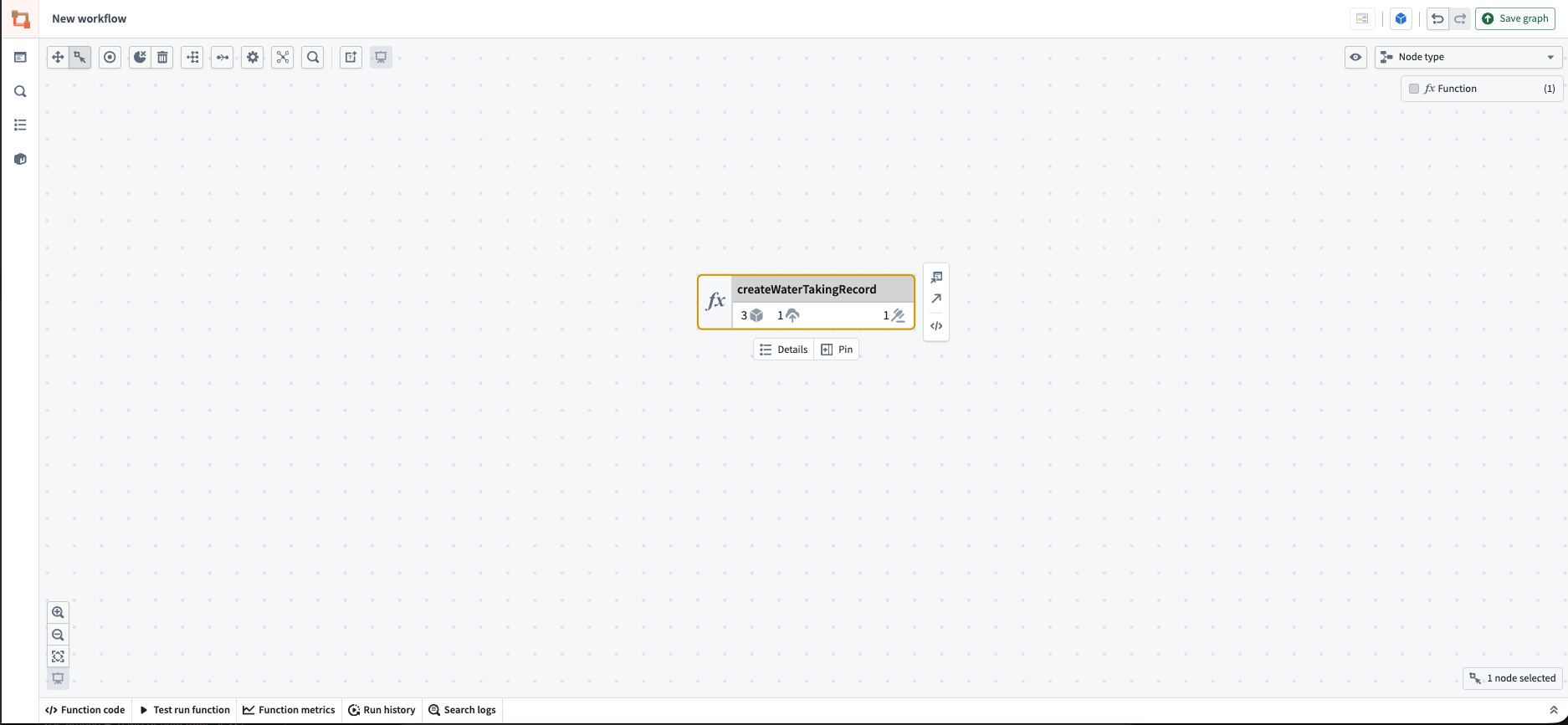
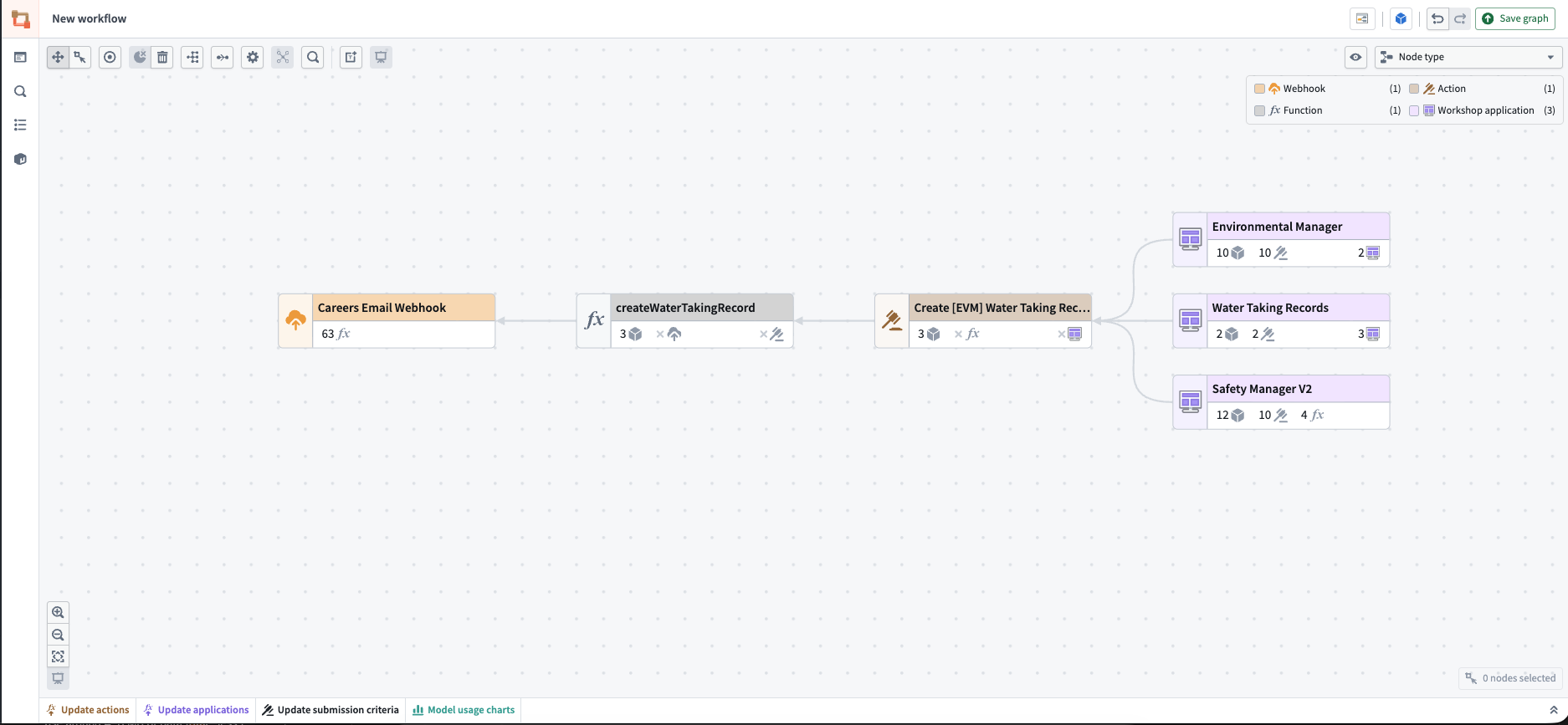
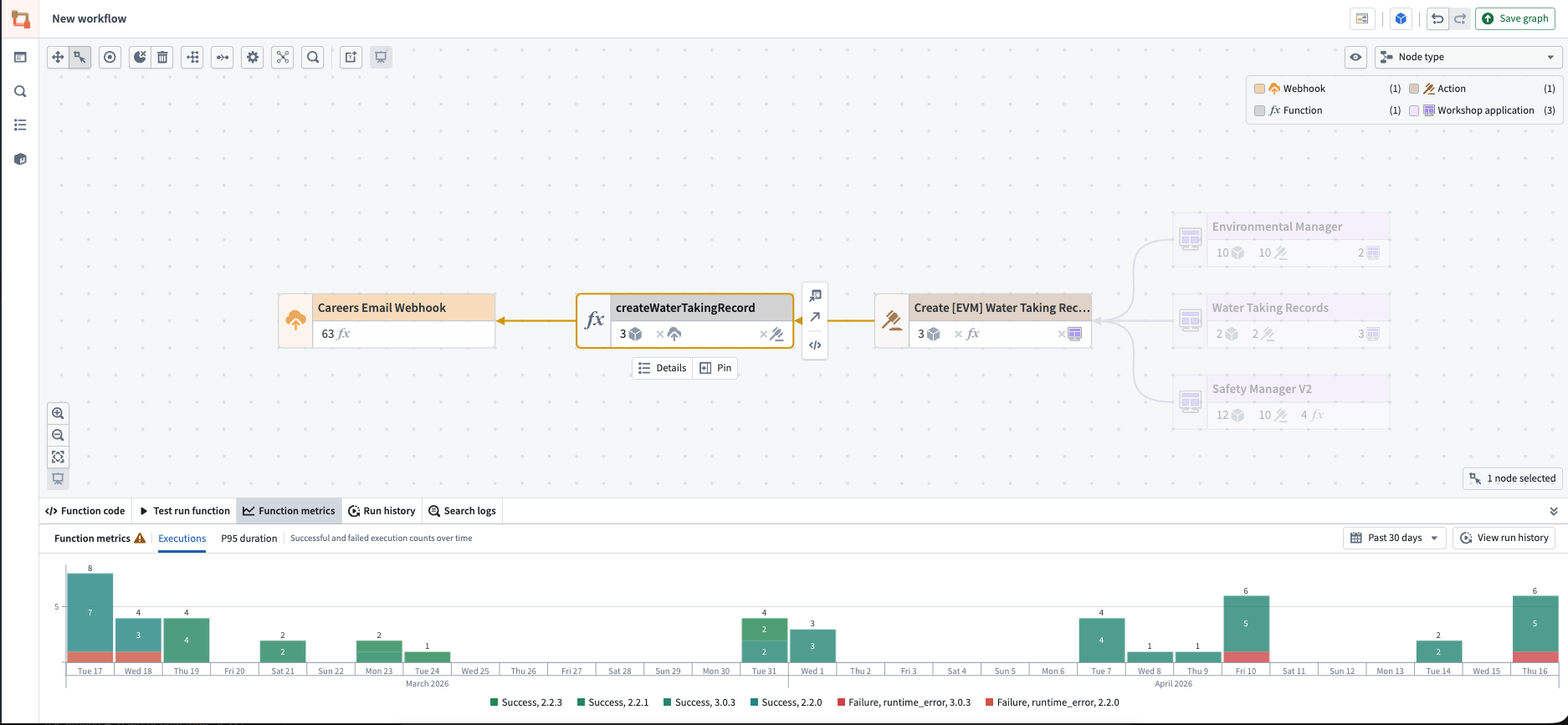
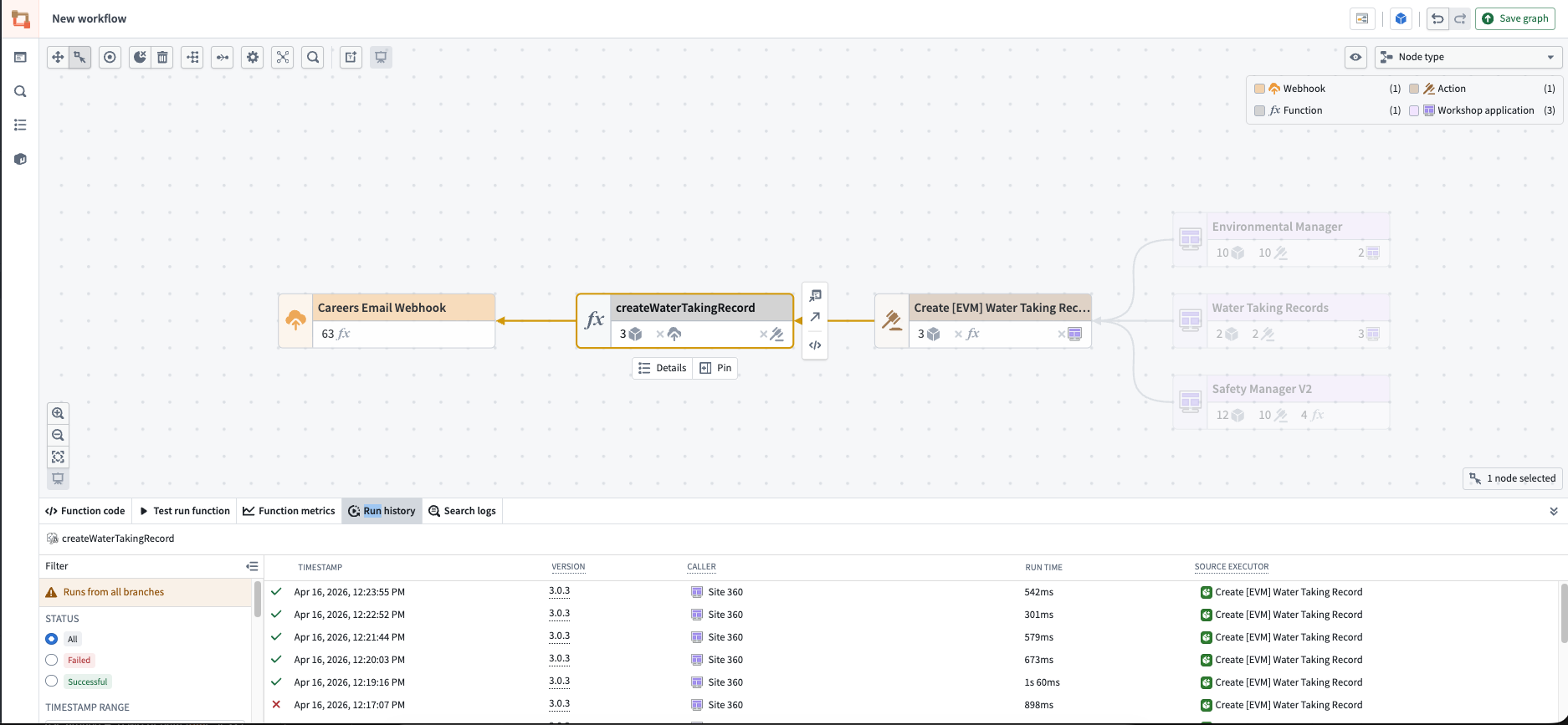
- Check if the Function has been run in the last 30 days by clicking on the Function in Workflow Lineage and checking the Function Metrics or the Run History tabs at the bottom of the page.
- If it isn't being run, navigate to the repository it is housed in and check if it is referenced anywhere in the code, such as being called by other Functions (the metrics don't accurately show if it's being called by other Functions).
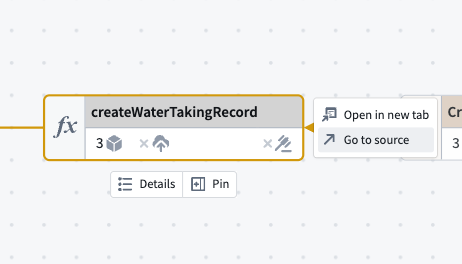
- It should be noted that sometimes Functions will be unnecessarily tagged with the @Function decorator when they shouldn't be.
- Functions should only be decorated with @Function when the Function is to be used outside of the repository. If it is a local convenience Function it should not be tagged with that decorator.
It should also be noted that multiple of the same Function could be published as they could be moved to different files in the repo, could be housed in a new repo, etc. Please ensure that if the old version is not being used, take actions to delete that one but not a newer version that could be in use.
If you are sure about the Function's lack of use, follow these steps to delete the function:
- Navigate to the repository and remove the Function. This can be done either via a direct merge into master or by creating a separate branch.
- If there is no code to delete or a new version of the Function is in use, do not delete anything in the repo.
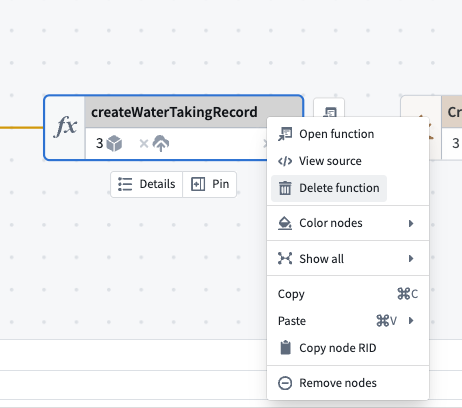
- Delete the published Function either in the repo or in the Workflow Lineage
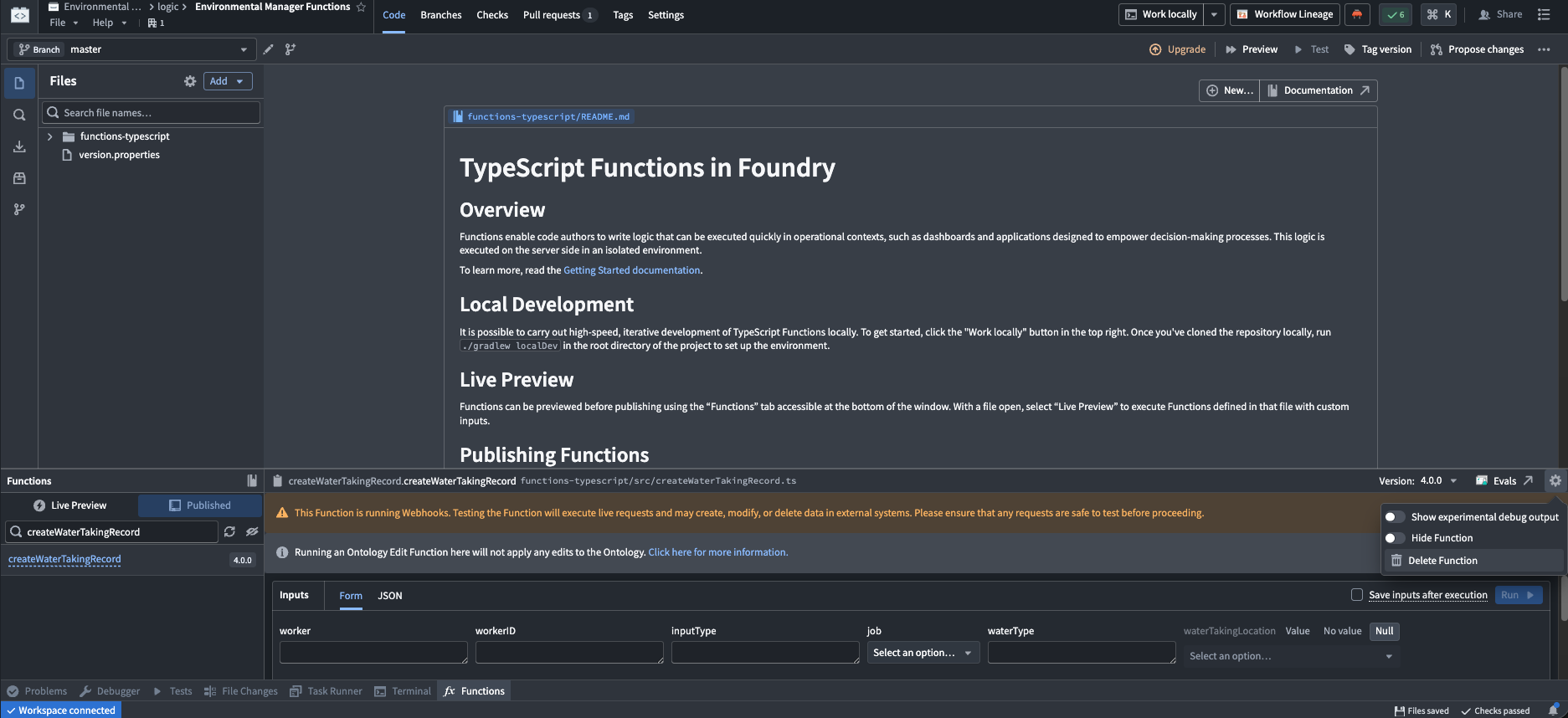
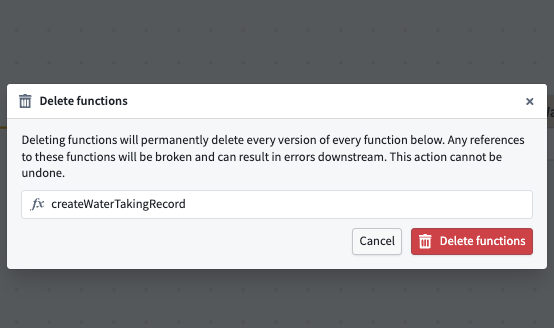
- In the Code Repository, this can be done by navigating to the Functions Tab at the bottom -> Go to Published and search published Function with the right version -> clicking the settings icon on the top right of the tab and clicking Delete Function. It will ask for confirmation in the subsequent dialog that pops up.
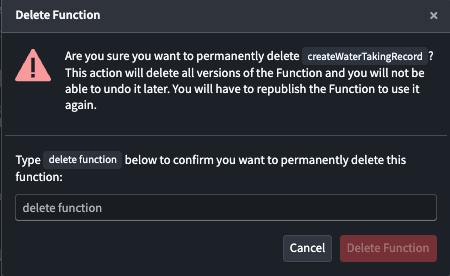
- In Workflow Lineage, right-click on the Function -> Click Delete Function and confirm your action on the subsequent dialogs.
2. Deleting Actions
The action deletion process goes hand in hand with function deletion, so the steps are virtually identical. If the action is not function-backed, there is no need to check any of the code in any of the repositories.
In order to delete an action, the process is as follows:
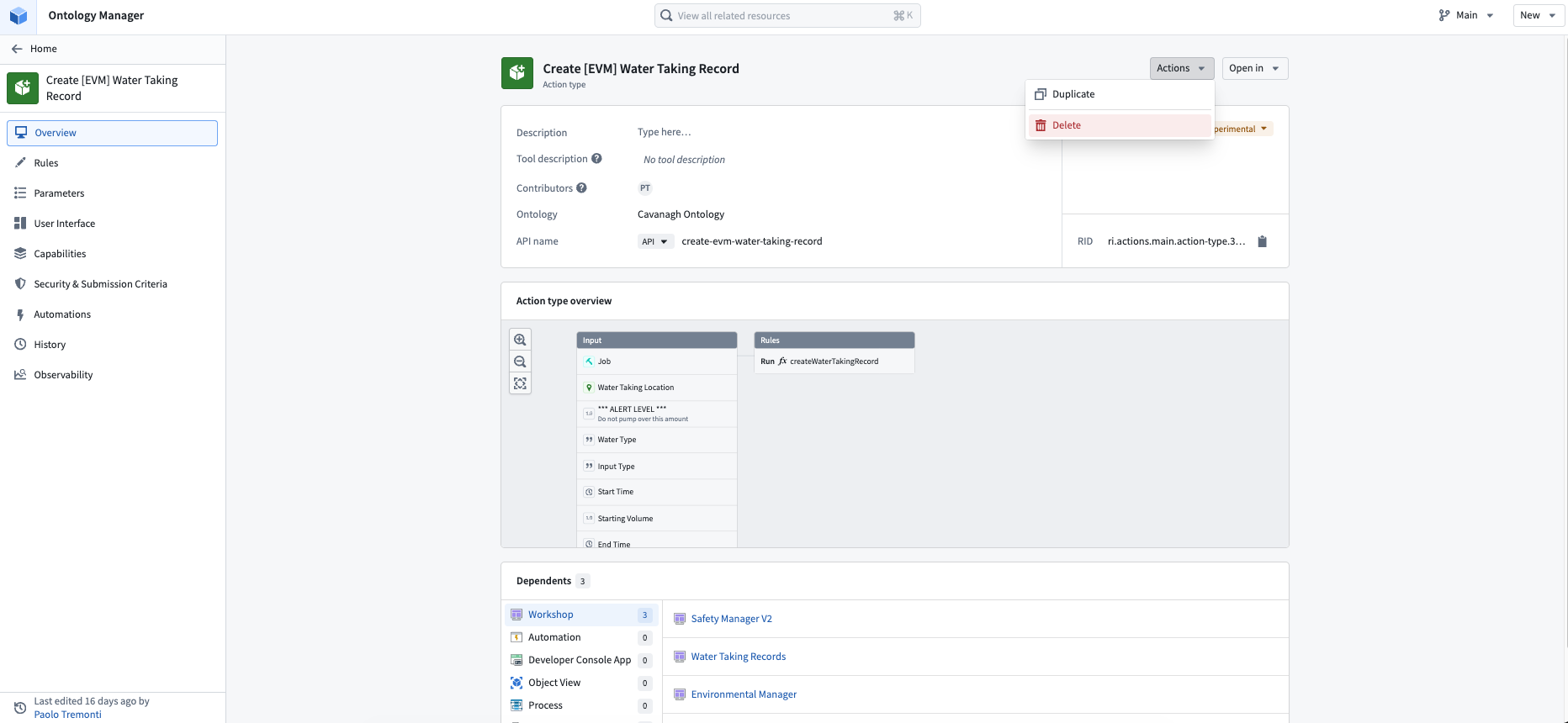
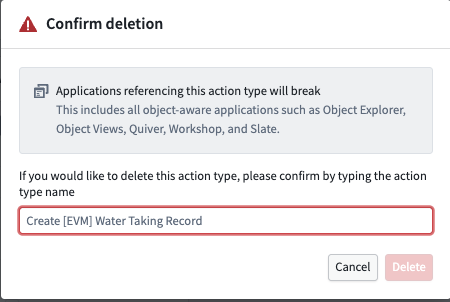
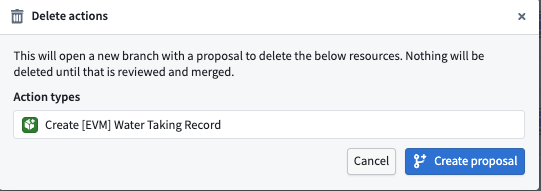
- Navigate to the action to be deleted in Ontology Manager -> Click on Actions, then select Delete and follow the dialog to confirm.
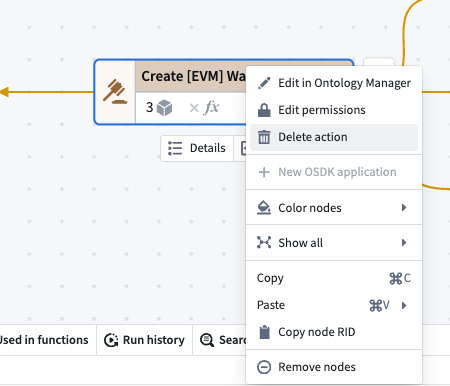
- You can also make a proposal to delete in Workflow Lineage by right-clicking the action -> Clicking Delete action and following the steps to create a proposal.
3. Deleting Object Types
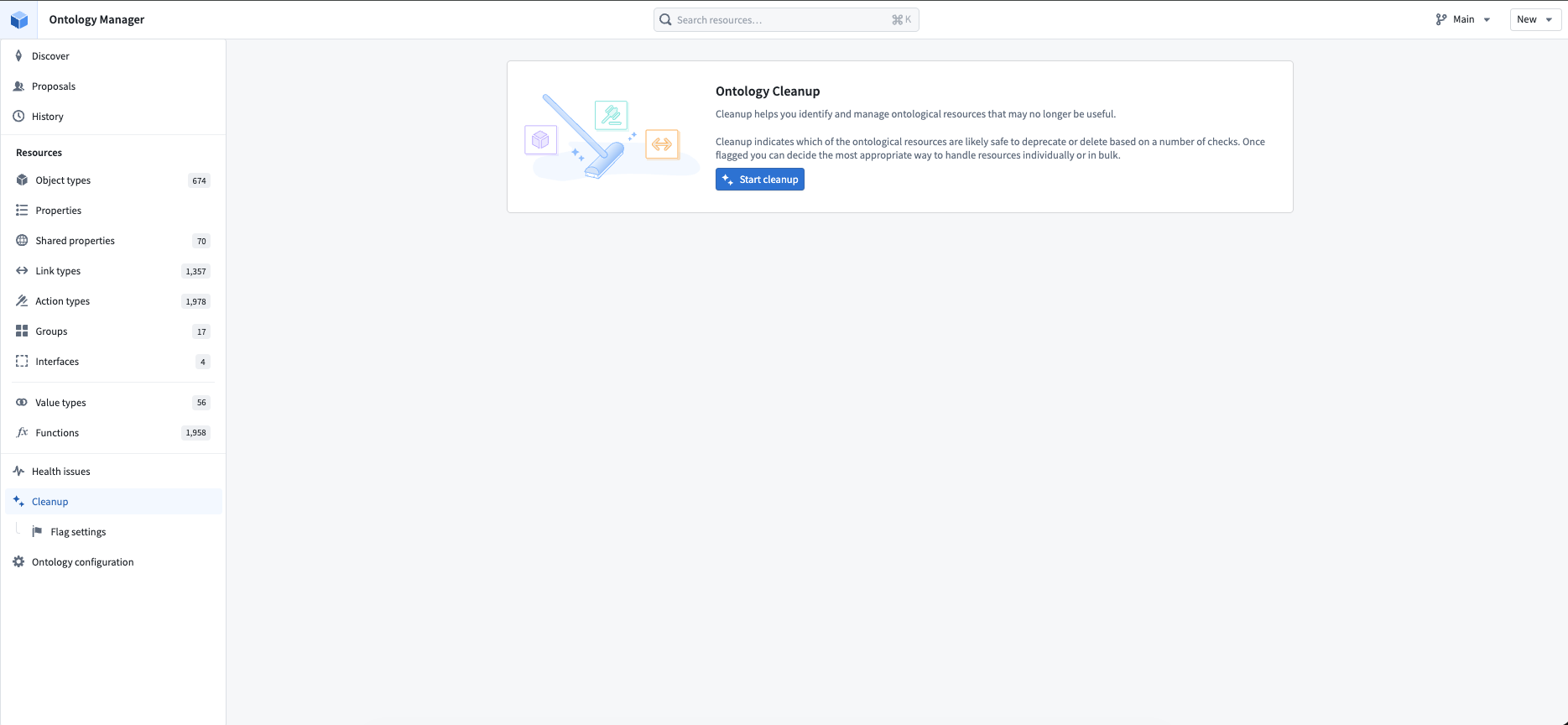
In order to delete object types, you should first follow the steps to delete all the actions and functions that use the object type. In order to identify possible deletion candidates, it is recommended to use the Ontology Cleanup tool found in Ontology Manager.
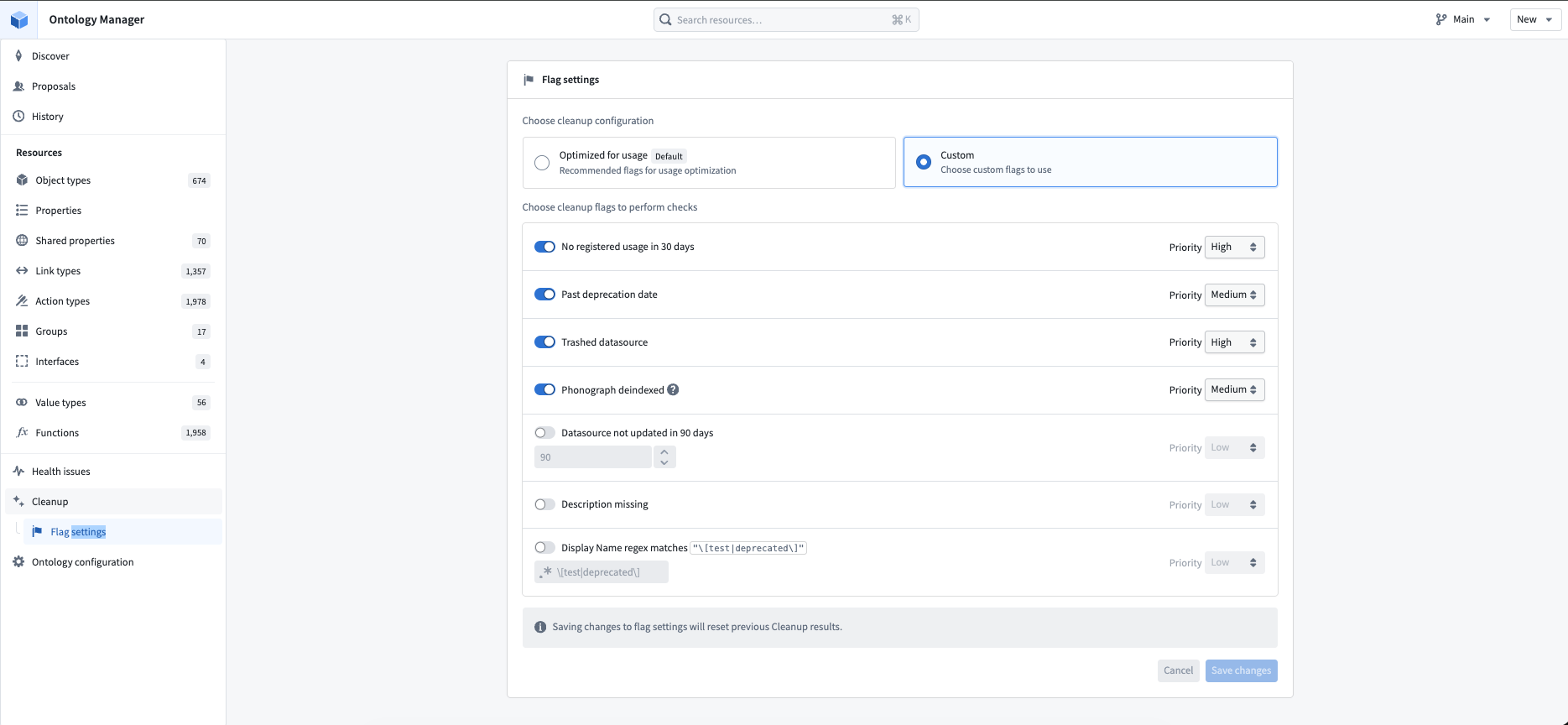
- You can update the criteria that you are looking for using the Flag settings seen in the screenshot below.
-
Then, once you get deletion candidates, it is recommended to use Workflow Lineage to determine if there are any dependencies before taking any action to delete.
-
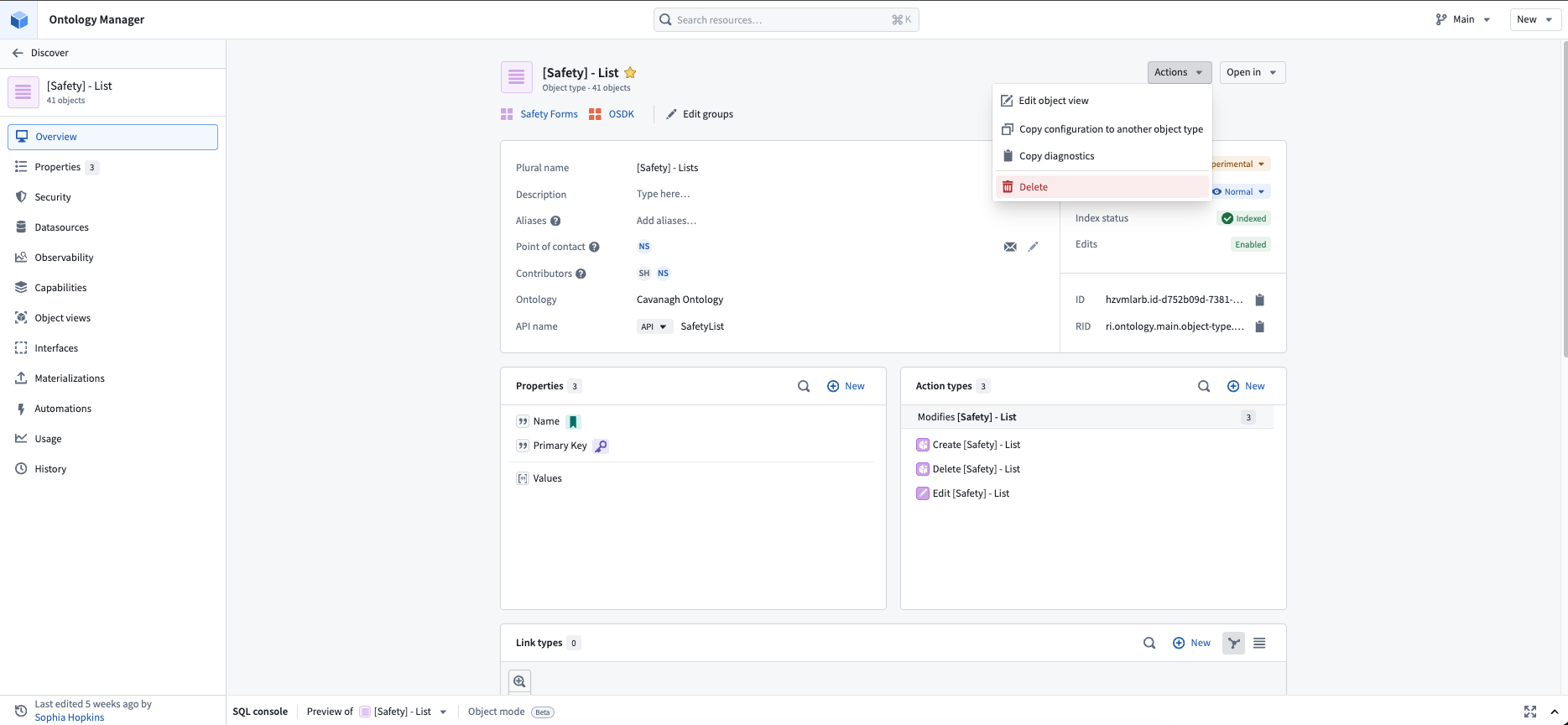
Deleting an Object Type itself is a relatively trivial task of simply navigating to the Object Type you want to delete and then navigating to Actions -> Delete.
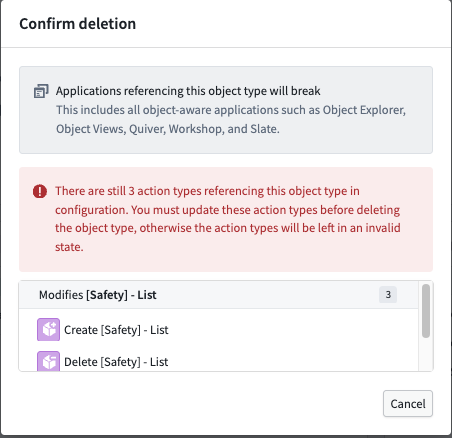
Note: You cannot delete Object Types if there are still actions dependent on the Object Type. You will get the error below if there are still dependencies.
4. Revision History
| Version | Author | Description |
|---|---|---|
| 1.0 | Noah Shannon | Initial release |